

Welcome to our Art Guidelines / Art File Upload page! We are here to deliver you remarkable graphic results, ease of use and outstanding customer service. Below are guidelines for creating and submitting artwork files that will help to ensure that the proofing process of your artwork is efficient and your artwork prints with the best quality possible. If you have any questions regarding your graphics artwork or your artwork upload, do not hesitate to call us. We will help you every step of the way to insure your finished product exceeds your expectations and more!
Artwork Submission
To help simplify and streamline the transferring of art files from our customers to our graphics department we provide an online artwork upload tool that allows you or your graphic designer to quickly upload art files to our server. Simply click on the “Upload Artwork” button on the right of this page and follow the steps to get your files uploaded. **Please note all artwork should be less than 1GB when submitted via the online upload artwork tool.
Click here to upload
your art files
your art files
File Formats
To provide our clients the professional results they expect, we require the following file formats for all finished production artwork:
 - Adobe Illustrator
 - Photoshop CC (or lower)
 - High Resolution PDF
The file formats below are not suitable for quality large format graphic printing. If these type files are submitted, additional charges will be required for recreation to suitable finished artwork for production.
- CorelDraw
- Adobe InDesign
- InDesign files saved as .pdf
- Microsoft Word
- MicrosoftPublisher
- Microsoft PowerPoint
- PageMaker
- QuarkXpress
- Hand Sketches
General File Setup
- Templates: In most cases, for our standard displays, we have graphic specifications or templates available that can be requested from your display consultant and sent via email to you or your artist.
- Layout Scale: All layouts should be at 100% scale if possible. 50% scale is acceptable, but please be sure to notify your Display Consultant at ExhibitTrader.com and note this scale in the Illustrator File.
- Resolution & Placed Images: All artwork should have a minimum resolution of 100 dpi and a maximum resolution of 150 dpi at 100% scale. When images are placed into an Illustrator layout, images should be linked and never embedded.
- Layers: All files will need to be submitted as flattened files or layers will need to be locked.
- Illustrator Effects & Filters: Using effects and filters on vector elements in Illustrator such as drop shadows and transparency is not recommended because it increases the complexity and size of the file making the file very difficult.
- Gradients: Gradients that are created in Photoshop with noise added (from 1 to 3), saved as a tiff, then brought back to Illustrator and combined with the rest of the artwork, will produce a smoother transition of color when printed in large.
- Fonts: All fonts must be created to outlines if an Illustrator file is submitted. Rasterize the type if submitting a Photoshop file. If font is not created to outlines please provide all font files even if they are stock fonts.
- Color Space: All monitors display color in RGB. Since our output is in CMYK, not spot, colors will vary. Every monitor is not the same, what you see on your monitor may vary from the actual print.
- Bleed: The best way to determine if bleed is required for any specific graphic is to request the appropriate graphic template from your Display Consultant; this template will include bleed specs. All custom sized graphics need to have two inches.
- Color Matching: Custom color matching is an optional service we can provide. The service is particularly helpful if your design includes Pantone colors which must be as accurate as possible within the CMYK color space.
Digital Proofs:
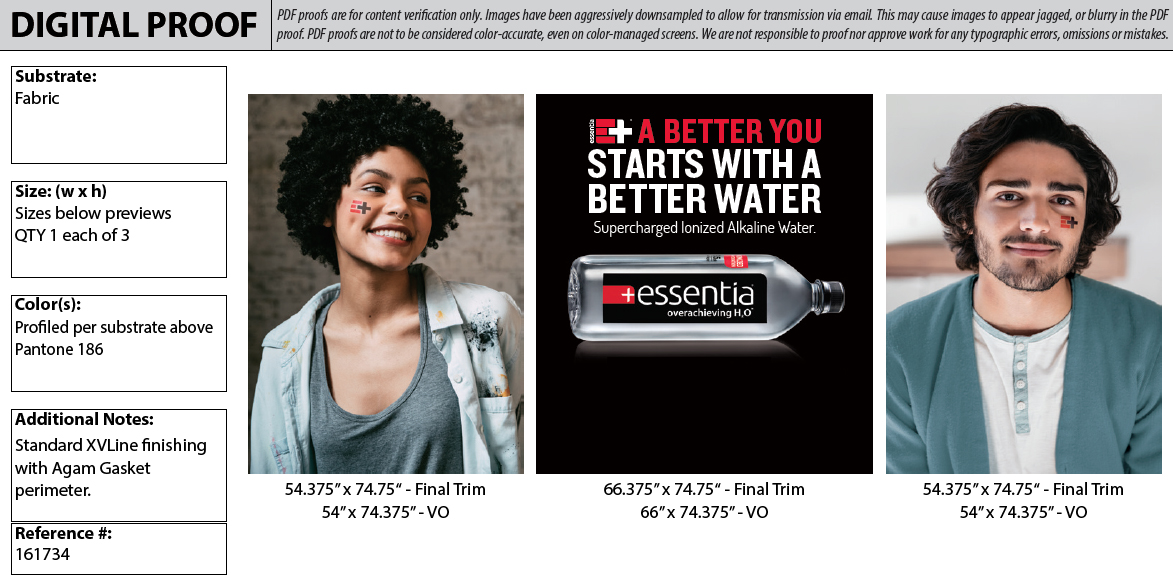
Our pre-flight team will prepare digital proofs that will be emailed to you from your display consultant. Nothing will be printed until we have your approval to print, so please monitor your email and look for these proofs. If you have not received your proofs within 48 hours after the artwork has been submitted, please contact your display consultant or check your spam filter since our proofs are sent as PDF files. Digital proofs are to be used for layout purposes only. They cannot be used for the clarity of color or images since they are very low in resolution and will be viewed in RGB. All digital proofs are free of charge.
Hard Copy Print Proofs:
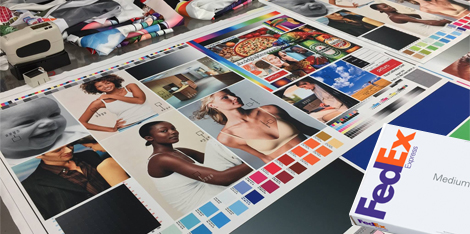
If you have special concerns regarding the color or image clarity, you may want to purchase a hard copy print proof. This type of proofing consists of a 25% scale version of your artwork printed on the same printer and material as the full size version. This will insure that the colors you have selected will print to your expectations. You will also receive a section printed at 100% scale which will give you a good indication of image clarity. The charge for this service is $100 per proof and in most cases this charge does include overnight shipping in the continental United States.
Graphic Design Services:
Let our award-winning graphic design team help capture your prospective customer’s attention by putting their years of creative experience to work for you. Whether creating graphics for a newly purchased trade show booth, replacing graphics on an existing trade show exhibit or simple banner stand artwork; our sole objective is to create a stunning environment that conveys your company’s message to your targeted audience. Depending on the complexity of the design and size of the display, graphic design costs will vary.